Chapter 4
Routing, Switching, and Network Services
This is the chapter where networks stop being collections of devices and start being systems. Everything you learned about addressing and topologies was the vocabulary — this chapter is the grammar. The exam treats routing and switching as core technician knowledge, and DHCP and DNS as daily survival skills. If you understand how a packet finds its way and how devices get their settings automatically, a large portion of the Network+ exam becomes common sense.
How Packets Find Their Way: Routing
Every network device knows how to reach its neighbors. The real question — the one routers exist to answer — is how a packet reaches a destination on a network the sender has never seen. The answer is routing: the process of selecting the best path for traffic to travel from source to destination across one or more networks.
Here's the picture that makes it click. Imagine you're in a city you've never visited, and you need to get to a specific address. You don't memorize every street in the city. You use a map — or you ask for directions at each intersection. Routers work the same way. Each router knows about the networks directly connected to it, and it maintains a routing table: a list of known networks, how to reach each one, and which path is best. When a packet arrives, the router looks at the destination IP address, checks its routing table, and forwards the packet out the interface that leads in the right direction. Then the next router does the same thing. The packet hops from router to router, each making a local decision, until it arrives.
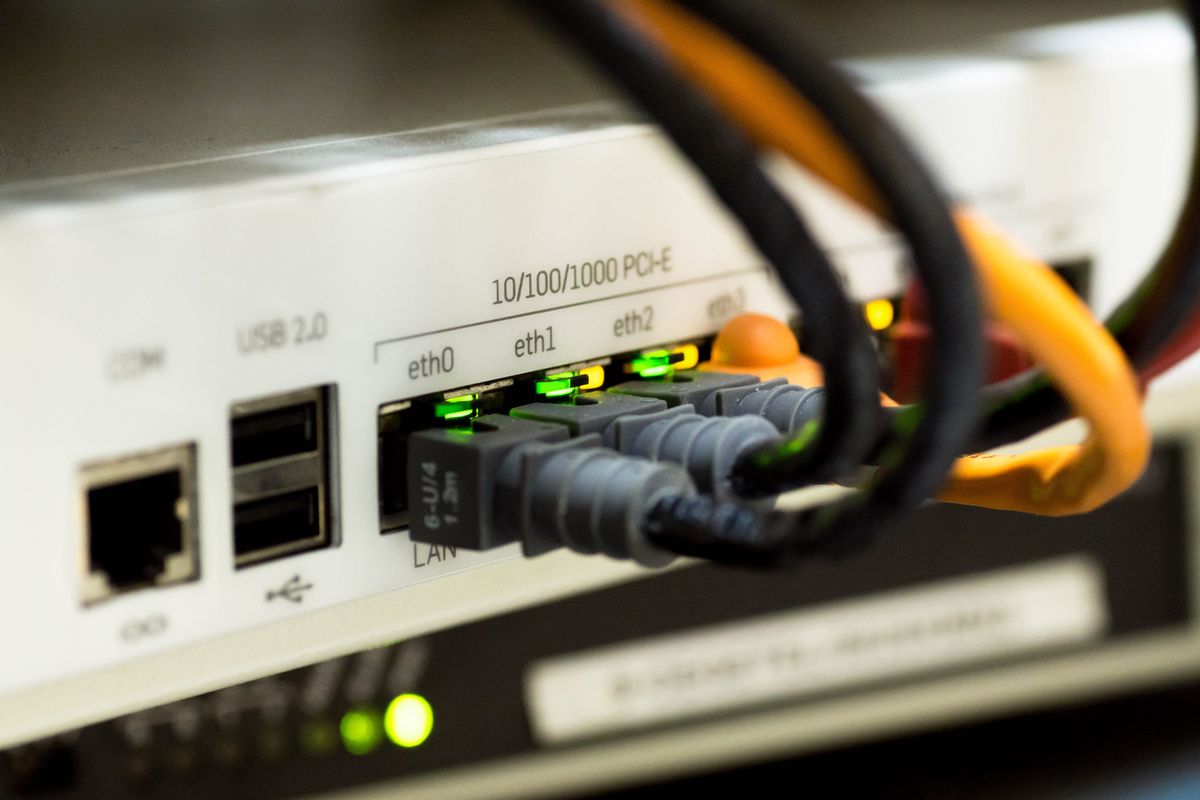
The exam constantly tests whether you understand that routing happens at Layer 3 (the Network layer) and uses IP addresses, while switching happens at Layer 2 (the Data Link layer) and uses MAC addresses. If a question asks which device forwards traffic based on IP addresses, the answer is a router — even if the device is called a "Layer 3 switch."
The Routing Table
A routing table is the router's brain. Every entry in the table has the same essential fields:
- Destination network — the network address this entry covers (for example, 192.168.10.0/24).
- Next hop — the IP address of the next router to send matching traffic to (or the interface to use, for directly connected networks).
- Metric — a number representing how "good" this path is. Lower is better.
- Administrative distance (AD) — a number representing how trustworthy the source of this route is. Lower is better.
When a packet arrives, the router finds the most specific match — the entry whose network address and subnet mask match the destination IP most precisely. This is called the longest prefix match. If the routing table has an entry for 10.0.0.0/8 and another for 10.1.4.0/24, and a packet arrives for 10.1.4.55, the router uses the /24 entry because it's more specific. This rule matters more than most people expect: a default route (0.0.0.0/0) matches everything, but it loses to any more specific entry.
Longest prefix match is a favorite exam topic. Remember: the router doesn't pick the route with the lowest metric first — it first narrows candidates to the most specific matching entry, and only uses metric to choose among entries for the same destination network.
Static vs. Dynamic Routing
Routes get into the routing table in two ways, and understanding the trade-off between them is fundamental.
Static routes are entered manually by an administrator. You type the destination network, the next hop, and the route sits there until someone removes it. Static routes are simple, predictable, and use no router CPU or bandwidth to maintain. But they don't adapt: if a link fails, the static route still points at the dead path, and traffic dies with it. Static routing works fine in small, stable networks — a branch office with one connection to headquarters, for example.
Dynamic routes are learned automatically through routing protocols — languages routers use to share information about the networks they know. When a link fails, the routers detect it, exchange updates, and recalculate paths. The network heals itself. The cost is complexity, router CPU and memory, and some bandwidth spent on routing updates. Dynamic routing is essential in any network large or complex enough that manual route maintenance would be a full-time job.
A classic scenario question: "A small office with a single ISP connection needs a route for internet traffic." The answer is a static default route (0.0.0.0/0 pointing at the ISP's router) — not a routing protocol. There's nothing to dynamically learn when there's only one way out.
The Default Route: The Gateway of Last Resort
The default route — written as 0.0.0.0/0 — is a routing table entry that matches every destination. It's the answer to the question "where do I send traffic I have no specific route for?" In practice, this is the default gateway configured on every workstation and server: the router's address that a device uses when the destination is on another network. That default gateway entry on your PC is a default route.
Default routes are the glue of the internet. Your home router has exactly one route to the entire internet: the default route pointing at your ISP. It doesn't need to know where Google's servers are — it just forwards everything upstream, and the ISP's routers (with their much bigger tables) sort it out.
Dynamic Routing Protocols: How Routers Talk
Routing protocols let routers share what they know and agree on the best paths. The exam doesn't require you to configure these protocols, but it absolutely requires you to know what each one is, how it works conceptually, and — most importantly — where each one is used. That last point is the key to most exam questions on this topic.
Distance Vector vs. Link State vs. Hybrid
Routing protocols fall into three families based on how they think about the network:
Distance vector protocols (like RIP) are the gossipers. Each router tells its neighbors "here's what I know and how far away it is," and neighbors pass it along. Routers only know what their neighbors told them — they don't have a map of the whole network. They're simple but slow to adapt and prone to routing loops (packets bouncing between routers that each think the other knows the way). The classic loop-prevention mechanisms — split horizon (don't advertise a route back to the neighbor you learned it from), route poisoning (advertise a failed route with an infinite metric), and hold-down timers — exist because of distance vector's limitations.
Link state protocols (like OSPF) are the cartographers. Every router builds a complete map of the network topology, then independently calculates the best path to every destination. They converge — agree on the new best paths after a change — much faster than distance vector, and they don't suffer from the same looping problems. The cost is that every router needs enough memory and CPU to hold the map and run the calculations.
Hybrid protocols (like EIGRP) blend both approaches, combining distance-vector-style neighbor updates with link-state-style rapid convergence.
RIP: The Simple Old Timer
RIP (Routing Information Protocol) is the oldest and simplest dynamic routing protocol still in use. It's a distance vector protocol that measures path quality in hops — the number of routers a packet must cross. Its maximum usable hop count is 15; 16 means "unreachable." That hop limit is RIP's defining weakness: any path longer than 15 routers is considered broken, which makes RIP unusable in large networks.
RIP sends its entire routing table to neighbors every 30 seconds, which wastes bandwidth. Its successor, RIPv2, added support for subnet masks (classless routing) and authentication, but kept the hop-count limit. You'll find RIP today only in the smallest networks or in legacy equipment that can't run anything better.
The exam loves RIP's numbers: 15 hops maximum, 16 = unreachable, updates every 30 seconds. If a question mentions a 15-hop limit or 30-second updates, the answer is RIP.
OSPF: The Enterprise Workhorse
OSPF (Open Shortest Path First) is the link state protocol you'll encounter in most enterprise networks. It's an open standard (any vendor's routers can run it), which is a major reason for its popularity. OSPF routers build a complete topology map of their area — OSPF divides large networks into areas to keep the maps manageable — and use Dijkstra's algorithm to calculate the shortest path to each destination. Its metric is cost, based on interface bandwidth: faster links have lower cost, so OSPF naturally prefers high-bandwidth paths.
OSPF converges quickly, scales well, and supports features like authentication and load balancing across equal-cost paths. When an exam question describes a multi-vendor enterprise network needing fast convergence and hierarchical design, OSPF is almost always the answer.
Key OSPF facts the exam tests: it's a link state protocol, it uses cost (bandwidth-based) as its metric, it supports areas for hierarchy, and it's an open standard — meaning it works in multi-vendor environments. Contrast this with EIGRP, which was Cisco-proprietary for most of its life.
EIGRP: Cisco's Hybrid
EIGRP (Enhanced Interior Gateway Routing Protocol) is Cisco's hybrid routing protocol. It combines distance-vector-style updates with link-state-style fast convergence, and it was Cisco-proprietary for most of its history (Cisco published it as an open standard in 2013, but in practice it's still overwhelmingly a Cisco-router protocol). EIGRP's claim to fame is its DUAL algorithm (Diffusing Update Algorithm), which lets routers pre-calculate backup paths — so when a link fails, the failover is nearly instant.
EIGRP's metric is a composite of bandwidth and delay (by default), giving it a more nuanced view of path quality than RIP's crude hop count. On the exam, EIGRP appears in questions about Cisco-only environments where fast convergence matters.
The exam's favorite EIGRP trap: it asks which protocol to use in a network with routers from multiple vendors. EIGRP's history as Cisco-proprietary makes it the wrong answer there — OSPF is the open-standard choice. Always check the vendor mix in the scenario.
BGP: The Protocol of the Internet
BGP (Border Gateway Protocol) is the routing protocol that holds the internet together. It's a path vector protocol — an evolution of distance vector thinking — and it's the only protocol on this list designed to route between autonomous systems (AS): the large independent networks (ISPs, major enterprises, cloud providers) that make up the internet. Every other protocol here is an IGP (Interior Gateway Protocol) for routing within an organization; BGP is an EGP (Exterior Gateway Protocol) for routing between organizations.
BGP doesn't care about hops or bandwidth the way interior protocols do. Its decisions are driven by policies — business agreements, path preferences, and attributes like AS-path length. This makes BGP slow to converge compared to OSPF, but that's fine: internet-scale routing values stability and policy control over speed.
This is one of the exam's most reliable distinctions: BGP = between autonomous systems / on the internet. If a question involves an ISP, peering between organizations, or "the internet's routing protocol," the answer is BGP. If it involves routing inside a company, it's OSPF, EIGRP, or RIP — never BGP.
Putting the Protocols Together
| Protocol | Type | Metric | Max scale | Where it's used |
|---|---|---|---|---|
| RIP / RIPv2 | Distance vector | Hop count (max 15) | Tiny networks | Small/legacy networks |
| OSPF | Link state | Cost (bandwidth) | Large enterprises | Multi-vendor enterprise networks |
| EIGRP | Hybrid | Bandwidth + delay | Medium-large | Cisco-dominant networks |
| BGP | Path vector (EGP) | Policy / AS-path | Internet-scale | Between ISPs and autonomous systems |
Switching: Building the Local Network
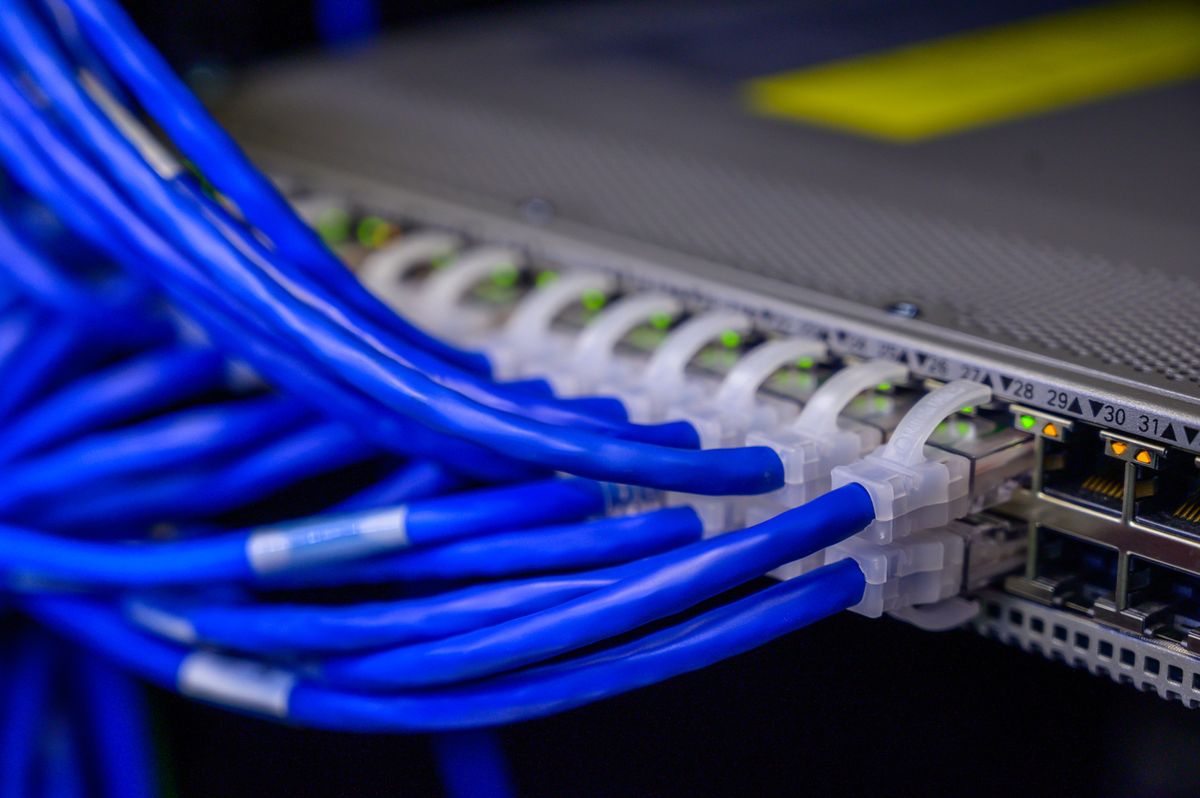
If routing is about getting packets between networks, switching is about delivering frames within a network. A switch forwards traffic based on MAC addresses at Layer 2, and it does something a hub never could: it learns which MAC address lives on which port, and forwards each frame only to the port where the destination lives. The result is that every device gets the full bandwidth of its connection instead of sharing a collision domain with everyone else.
Here's how the learning works. When a switch powers on, its MAC address table (also called the CAM table) is empty. When a frame arrives on a port, the switch reads the source MAC address and records "this MAC lives on this port." Then it looks at the destination MAC: if it knows the port, it forwards the frame there and only there. If it doesn't know yet, it floods the frame out all ports except the one it arrived on — and when the reply comes back, it learns that MAC too. Within seconds of normal traffic, the switch has mapped the whole local network. This learning process is why switches are sometimes called "transparent" — devices don't need any configuration to benefit.
The exam tests the hub-vs-switch-vs-router distinction constantly. Hub = Layer 1, repeats everything to everyone, one big collision domain. Switch = Layer 2, forwards by MAC address, one collision domain per port. Router = Layer 3, forwards by IP address, separates broadcast domains. If a question asks which device reduces collisions, it's the switch. Which device separates broadcast domains, it's the router.
Managed vs. Unmanaged Switches
Unmanaged switches are plug-and-play: no configuration, no IP address, no management interface. You connect the cables and they start learning MAC addresses. They're cheap and fine for a home office or a small room — but you can't configure VLANs, monitor traffic, or set security policies on them.
Managed switches have a management interface (web, CLI, or both) and support the features this section covers: VLANs, trunking, STP, port security, QoS, and monitoring. Every business network uses managed switches. On the exam, if a scenario requires VLANs or any advanced feature, the answer involves managed switches — an unmanaged switch simply can't do the job.
VLANs: One Switch, Many Networks
A VLAN (Virtual Local Area Network) lets you divide a single physical switch into multiple logical networks. Devices on different VLANs can't communicate with each other directly — they're as separated as if they were on different physical switches — even though they share the same hardware. To move traffic between VLANs, you need a router (or a Layer 3 switch), a technique called inter-VLAN routing.
Why bother? Three reasons the exam cares about:
- Security. Put the finance department on one VLAN and guests on another, and guest traffic can never reach finance servers at Layer 2 — no matter which physical port anyone plugs into.
- Broadcast control. Every VLAN is its own broadcast domain. Broadcasts from one VLAN never reach another, which keeps broadcast traffic from overwhelming large networks.
- Flexibility. Move a user from Sales to Engineering? Change their port's VLAN assignment in software instead of re-cabling. The physical topology stays the same while the logical topology adapts.
VLANs are one of the exam's favorite topics, and the key insight is this: a VLAN is a broadcast domain. Every question about reducing broadcast traffic, segmenting departments, or isolating traffic at Layer 2 is really a VLAN question. And remember — devices on different VLANs need a router to communicate. A switch alone can't do it.
Trunking and 802.1Q: VLANs Across Switches
A VLAN is easy within one switch — but what happens when your Sales VLAN spans two switches? The link between those switches needs to carry traffic for multiple VLANs simultaneously. That link is a trunk, and the standard that makes it work is 802.1Q.
Here's the mechanism: when a frame crosses a trunk link, the sending switch inserts a small VLAN tag into the frame header identifying which VLAN the frame belongs to. The receiving switch reads the tag and forwards the frame only to ports in that VLAN. Without tagging, the receiving switch would have no idea which VLAN a frame belonged to.
One VLAN on a trunk can be designated the native VLAN — its frames cross the trunk untagged. This exists for backward compatibility with devices that don't understand tagging. The exam-relevant catch: both ends of a trunk must agree on the native VLAN, or traffic gets misdelivered. A native VLAN mismatch is a classic troubleshooting scenario.
If a question mentions VLANs spanning multiple switches, or frames being "tagged," the answer involves 802.1Q trunking. Watch for the native VLAN mismatch trap: same native VLAN on both ends, or untagged traffic ends up in the wrong VLAN.
STP: Preventing Loops
Redundancy is good — until it creates a switching loop. If two switches are connected by two links (for redundancy), a broadcast frame can circle the loop forever, multiplying each time it passes a switch. This broadcast storm can bring a network to its knees in seconds. STP (Spanning Tree Protocol, 802.1D) exists to prevent this.
STP's approach is elegant: the switches elect a root bridge, then each switch figures out the shortest path to the root and blocks any redundant ports that would create loops. The blocked ports sit in standby — if the active link fails, STP unblocks a standby port and traffic flows again. You get redundancy without loops. The trade-off is convergence time: classic STP can take 30–50 seconds to unblock a port after a failure, which is why RSTP (Rapid Spanning Tree Protocol, 802.1w) was developed — it converges in seconds.
The exam's STP questions focus on why it exists: to prevent Layer 2 loops and broadcast storms in redundant topologies. Don't confuse it with routing loop prevention (split horizon, route poisoning) — those are Layer 3. STP is strictly a switching (Layer 2) protocol.
DHCP: Addresses on Autopilot
Imagine configuring IP addresses by hand on a network with 500 devices — the address, the subnet mask, the default gateway, the DNS servers — and then doing it again every time someone gets a new laptop. DHCP (Dynamic Host Configuration Protocol) eliminates that nightmare. When a device joins the network, it asks for network settings, and a DHCP server hands them a complete configuration automatically: IP address, subnet mask, default gateway, DNS servers, and more.
The DORA Process
DHCP assignment happens in four steps, remembered by the acronym DORA:
- Discover. The new client broadcasts a DHCPDISCOVER message: "Is there a DHCP server out there?" (It has no IP address yet, so it must broadcast.)
- Offer. DHCP servers respond with a DHCPOFFER: "I can give you this IP address with these settings."
- Request. The client broadcasts a DHCPREQUEST: "I'll take that offer" (broadcast so all servers know which offer was accepted).
- Acknowledge. The chosen server replies with DHCPACK: "It's yours." The client configures itself and joins the network.
The address isn't permanent — it's a lease, typically lasting hours to days. When half the lease time expires, the client tries to renew it. If the client disappears, the lease eventually expires and the address returns to the pool for someone else. This is why DHCP scales: addresses are recycled automatically.
DORA order is directly tested — know the four steps and their sequence. Also know that Discover and Request are broadcasts (the client has no usable address yet), which is why DHCP doesn't cross routers by default and needs a DHCP relay agent (IP helper) on networks without a local DHCP server.
Scopes, Reservations, and Exclusions
A scope is the pool of addresses a DHCP server can hand out — for example, 192.168.1.100 through 192.168.1.200, with the associated subnet mask, gateway, and DNS settings. Within a scope, you can carve out special treatment:
- Reservations tie a specific IP address to a device's MAC address. The printer always gets 192.168.1.50, the server always gets 192.168.1.10 — the convenience of a static address with the central management of DHCP. Use reservations for anything other devices need to find reliably: printers, servers, network equipment.
- Exclusions are addresses the server will never hand out — reserved for devices configured with true static addresses (like the router itself or the DHCP server).
The reservation-vs-static distinction trips people up. A reservation still uses DHCP (the device requests, the server answers with the reserved address). A static address is configured manually on the device itself. The exam asks which to use when: reservations for "always the same address but centrally managed," static for infrastructure devices that must work even if DHCP is down.
When DHCP Fails: APIPA
If a device can't reach a DHCP server, it doesn't just give up — Windows (and most operating systems) assign themselves an address from the APIPA range: 169.254.0.1 through 169.254.255.254 (169.254.0.0/16). This lets devices on the same segment communicate with each other, but there's no gateway and no DNS, so there's no internet and no access to other networks.
This is one of the exam's most practical troubleshooting questions. If a user reports no network access and their IP address is 169.254.x.x, the diagnosis is immediate: DHCP failed. The fix is to investigate why — is the DHCP server down? Is the relay agent misconfigured? Is the scope exhausted? The 169.254 address is the symptom; the DHCP problem is the disease.
DNS: The Internet's Phone Book
Humans remember names; computers route by numbers. DNS (Domain Name System) bridges the gap, translating human-friendly hostnames like www.example.com into IP addresses like 93.184.216.34. Without DNS, you'd need to memorize the IP address of every website you visit. With it, you type a name and the machinery below handles the rest.
The Hierarchy
DNS is a distributed, hierarchical system — no single server holds all the names. The hierarchy reads right to left:
- The root (".") sits at the top — thirteen clusters of root servers worldwide that know where the top-level domains live.
- Top-level domains (TLDs) come next: .com, .org, .net, country codes like .uk and .de.
- Second-level domains are the names organizations register: example in example.com.
- Subdomains branch further: www, mail, support in www.example.com, mail.example.com.
Resolution is the process of walking this hierarchy. When your computer needs www.example.com, it asks a recursive resolver (usually your ISP's or a public DNS server), which queries the root servers ("where's .com?"), then the .com servers ("where's example.com?"), then example.com's authoritative name servers ("what's the IP for www?"). Each level answers only what it knows and refers downward. The resolver caches each answer, so repeat queries are instant — which is why the first visit to a site is sometimes slightly slower than the rest.
Know the resolution order: root → TLD → authoritative, and the difference between recursive resolvers (do the full lookup work for clients) and authoritative servers (hold the actual records for a domain). A question about "which server holds the real records for example.com" wants authoritative.
DNS Record Types
DNS stores different kinds of information as records. The exam expects you to know these cold:
- A — Maps a hostname to an IPv4 address. (www.example.com → 93.184.216.34)
- AAAA ("quad-A") — Maps a hostname to an IPv6 address.
- CNAME — An alias: maps one hostname to another hostname. (shop.example.com → www.example.com)
- MX — Identifies the mail server(s) for a domain, with priority values. Email delivery depends on MX records.
- TXT — Free-form text, used for verification (domain ownership proofs) and email security policies (SPF, DKIM, DMARC).
- PTR — Reverse lookup: maps an IP address back to a hostname. The opposite of an A record.
- SRV — Specifies the service location: which host and port provide a particular service (used by Active Directory, VoIP, and chat systems).
- NS — Identifies the authoritative name servers for a domain.
Record types are pure memorization, and the exam shows no mercy. Drill the pairs: A = IPv4, AAAA = IPv6, CNAME = alias, MX = mail, PTR = reverse, SRV = service + port, TXT = text/verification. Scenario questions give you a task ("email isn't being delivered," "need an alias for the new site") and expect you to pick the record type.
NAT: Stretching IPv4
The internet ran out of public IPv4 addresses years ago — and yet new devices connect every day. NAT (Network Address Translation) is the main reason that works. NAT lets an entire private network share a single public IP address: devices inside use private addresses (10.x.x.x, 172.16.x.x–172.31.x.x, 192.168.x.x), and the NAT router translates those to its public address when traffic goes to the internet, then translates responses back to the right internal device.
Static NAT, Dynamic NAT, and PAT
- Static NAT maps one private address to one public address, permanently. It's a 1:1 relationship — used when an internal server needs to be reachable from the internet at a consistent public address (a web server, a mail server).
- Dynamic NAT maps private addresses to a pool of public addresses on a first-come basis. Still 1:1 while the mapping lasts, but the specific public address varies.
- PAT (Port Address Translation) — also called NAT overload — is the version running in virtually every home and office. It maps many private addresses to a single public address by tracking port numbers. When 192.168.1.10 and 192.168.1.11 both browse the web, the router gives each session a unique source port on its public address, and uses those ports to sort returning traffic back to the right device. Thousands of devices, one public IP.
The exam's NAT questions hinge on the ratios. Static = 1:1 permanent. Dynamic = 1:1 from a pool. PAT = many:1 using ports. If a question describes a whole office sharing one public IP address, the answer is PAT (or NAT overload) — it's the only variant designed for that.
NTP: Everyone Agrees on the Time
NTP (Network Time Protocol) synchronizes clocks across network devices, and it matters far more than it sounds. Authentication protocols like Kerberos reject logins if clocks differ by more than a few minutes. Log timestamps are useless for troubleshooting if every device disagrees about what time an event happened. Certificates validate against time windows. NTP organizes time sources in strata: stratum 0 is the reference clock (atomic clocks, GPS), stratum 1 servers sync to stratum 0, stratum 2 syncs to stratum 1, and so on. Your devices typically sync to stratum 2 or 3 servers — accurate to milliseconds, which is plenty.
When a question describes authentication failures, expired certificates behaving strangely, or logs with impossible timestamps across devices, think NTP / time sync before anything else. It's the quiet prerequisite that breaks loudly when it's wrong.
QoS: Traffic with Priorities
Not all traffic is equally urgent. A video call that arrives 200 milliseconds late is a glitchy, unusable mess; an email that arrives 200 milliseconds late is... an email. QoS (Quality of Service) is the set of techniques that prioritizes time-sensitive traffic so it gets bandwidth and low latency even when the network is congested.
The key concepts: bandwidth (how much data can flow), latency (how long data takes to arrive), jitter (variation in latency — the killer for voice and video), and packet loss. QoS mechanisms — traffic classification, prioritization queues, and bandwidth reservation — ensure that voice and video packets jump the queue ahead of bulk transfers. On the exam, QoS appears in scenarios about VoIP quality problems or video conferencing issues on busy networks.
QoS questions almost always involve voice or video suffering on a congested network. The symptoms to recognize: choppy audio and frozen video point to jitter and latency, and the fix is QoS prioritization — not more bandwidth alone, because without prioritization the extra bandwidth gets eaten by the same bulk traffic.
Putting It All Together
A packet's journey ties every service in this chapter together. Your laptop needs an address — DHCP provides it via DORA. You type a website name — DNS walks the hierarchy and returns an IP. Your packet leaves for another network — the router consults its table, finds the longest prefix match, and forwards it. Crossing the office, switches forward by MAC, VLANs keep departments separated, trunks carry tagged frames between switches, and STP stands guard against loops. Heading to the internet, NAT/PAT translates your private address to the company's public one. Behind the scenes, NTP keeps every device's clock in agreement so authentication and logging work, and QoS makes sure your video call survives the afternoon backup window. Routing, switching, and network services aren't separate topics — they're one system, and the exam rewards people who see it that way.
---
End-of-Chapter Test
1. A router has two entries that both match a packet's destination: 10.0.0.0/8 and 10.1.4.0/24. Which entry will the router use?
A. 10.0.0.0/8, because it was learned first B. 10.1.4.0/24, because it is the most specific match C. 10.0.0.0/8, because it has the lower metric D. Neither — the router drops the packet
2. A small branch office has a single connection to its ISP and needs internet access for all workstations. What is the simplest appropriate routing configuration?
A. Configure OSPF on the office router B. Configure BGP with the ISP C. Add a static default route pointing to the ISP's router D. Enable RIP on all workstations
3. Which routing protocol should be used to exchange routes between two different ISPs on the internet?
A. OSPF B. EIGRP C. RIP D. BGP
4. A network uses routers from three different vendors and needs fast convergence after link failures. Which interior routing protocol is the best fit?
A. EIGRP, because it converges fastest B. OSPF, because it is an open standard C. RIP, because it is the simplest to configure D. BGP, because it scales the best
5. A switch connects the Sales and Engineering departments, and neither department's broadcast traffic should reach the other. What should the administrator configure?
A. A separate physical switch for each department B. VLANs, one per department C. STP on all switch ports D. A default route between the departments
6. Two switches are connected by a link that must carry traffic for four different VLANs. What is required on this link?
A. Four separate physical cables, one per VLAN B. An 802.1Q trunk with VLAN tagging C. A router between the two switches D. STP blocking three of the four VLANs
7. A workstation boots and receives the IP address 169.254.12.44. What does this indicate?
A. The workstation has a static IP address configured B. The DHCP server could not be reached C. The DNS server is misconfigured D. The default gateway is unreachable
8. In the DHCP DORA process, which two messages are sent as broadcasts by the client?
A. Discover and Offer B. Offer and Acknowledge C. Discover and Request D. Request and Acknowledge
9. A company wants mail.example.com to direct email to its mail server, and wants www.example.com to be an alias of its main web server. Which DNS record types are needed?
A. A and AAAA B. MX and CNAME C. PTR and SRV D. TXT and NS
10. An office with 200 workstations shares a single public IP address for internet access. Which NAT variant makes this possible?
A. Static NAT B. Dynamic NAT C. PAT (NAT overload) D. No NAT is needed with private addresses
---
Answer Key
1. B — Longest prefix match: the router uses the most specific matching entry. The /24 covers a smaller range than the /8, so it wins regardless of metric or learning order.
2. C — With a single path to the internet, a static default route (0.0.0.0/0) is the correct, simplest choice. There's nothing for a dynamic protocol to learn — all non-local traffic goes to the ISP.
3. D — BGP is the exterior gateway protocol designed for routing between autonomous systems (ISPs). OSPF, EIGRP, and RIP are interior protocols for routing within an organization.
4. B — OSPF is an open standard that works across vendors and converges quickly as a link state protocol. EIGRP's Cisco-proprietary history makes it a poor fit for a multi-vendor network.
5. B — VLANs create separate broadcast domains on one switch. Each department gets its own VLAN, and broadcasts stay within the VLAN. A router would be needed only if the departments must communicate with each other.
6. B — An 802.1Q trunk carries multiple VLANs over one link by tagging frames with their VLAN ID. Separate cables would work but waste ports; a router isn't needed for same-switch trunking.
7. B — 169.254.0.0/16 is the APIPA range, self-assigned when DHCP fails. The immediate diagnosis is that the client couldn't reach a DHCP server — check the server, the relay agent, and the scope.
8. C — Discover (DHCPDISCOVER) and Request (DHCPREQUEST) are client broadcasts — the client has no IP address yet, so it must broadcast. Offer and Acknowledge come from the server.
9. B — MX records direct email delivery to the mail server; CNAME creates the www alias pointing at the main web server's hostname.
10. C — PAT (Port Address Translation, or NAT overload) maps many private addresses to one public address by tracking port numbers. Static and dynamic NAT are 1:1 mappings and can't share a single public IP among 200 devices.