Chapter 2
Network Infrastructure and Cabling
> Every network you will ever touch is built on top of a physical layer — wires, connectors, and radio waves. The Network+ exam tests whether you can choose the right medium, install it correctly, and know exactly what fails when someone gets it wrong.
Networking has a glamorous side — cloud architecture, routing protocols, zero-trust security — and then there is the physical side: pulling cable through a ceiling, crimping an RJ45, aiming an access point antenna. The glamorous side gets the keynote speeches. The physical side gets you the job, because when a link goes down at 2 AM, nobody cares about your routing table knowledge until you can tell them whether the problem is the cable, the connector, or the device on either end.
This chapter covers the physical infrastructure of networks: copper cabling categories, fiber optics, the connectors you'll meet in wiring closets, the devices that connect segments together, and the wireless standards that carry traffic when there is no cable at all. The Network+ N10-009 exam tests this material with scenario questions — a technician reporting intermittent drops, a building needing a backbone run, a warehouse that needs Wi-Fi across 100 meters of open floor. The facts you memorize here become the tools you reach for there.
Copper Cabling: The Workhorse of the LAN
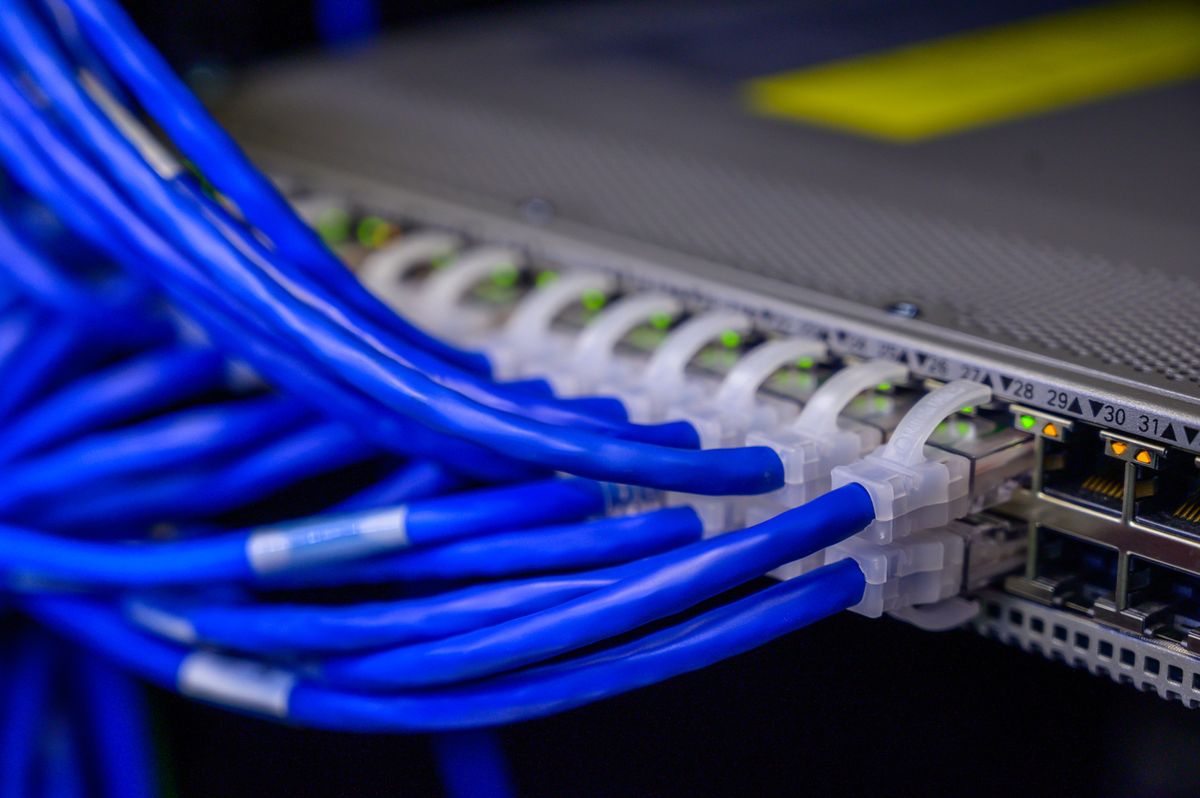
Walk into any office building's network closet and you will see them: bundles of blue, yellow, or gray cables, each terminating in a clear plastic connector with eight gold pins. That is twisted-pair copper cabling, and it carries the vast majority of wired LAN traffic in the world. Understanding it is not optional.
A twisted-pair cable contains four pairs of copper wires, each pair twisted together at a precise rate. The twisting is not decorative — it is the entire reason the cable works. When electrical signals travel through a wire, they radiate electromagnetic interference (EMI). A neighboring wire picks up that interference as crosstalk — noise that corrupts its own signal. Twisting two wires together means each wire alternately moves closer to and farther from the interference source, so the induced noise cancels itself out. Tighter twists mean better cancellation, which means the cable can carry faster signals. Every improvement in cable category is, at its core, a story about tighter twists and better manufacturing.
Cable Categories: Cat5e, Cat6, Cat6a, Cat7, Cat8
The category of a cable is a standards rating that guarantees specific performance. The exam expects you to know the speed and distance for each:
- Cat5e (enhanced Cat5): 1 Gbps up to 100 meters. The minimum you should expect in any modern installation. It replaced the original Cat5, which could only reliably do 100 Mbps.
- Cat6: 1 Gbps up to 100 meters, and 10 Gbps up to 55 meters. The shorter distance for 10 Gbps is the catch — at full 100-meter runs, Cat6 drops back to 1 Gbps.
- Cat6a (augmented Cat6): 10 Gbps up to the full 100 meters. This is the sweet spot for new commercial installations — true 10-gigabit to every desk without distance anxiety.
- Cat7: 10 Gbps up to 100 meters, with even more shielding. Rare in practice; it uses a different connector (GG45) in its strictest form, which limited adoption.
- Cat8: 25–40 Gbps up to 30 meters. Built for data center switch-to-server connections, not for running through office walls.
The exam loves to test the distance limits. The two traps: (1) Cat6 does 10 Gbps but only to 55 meters — beyond that it falls back to 1 Gbps. (2) Cat8's 30-meter limit makes it a data center cable, not a building cable. If a question describes a 90-meter run needing 10 Gbps, the answer is Cat6a, not Cat6.
Notice the pattern: every step up in category buys you either more speed or more distance at a given speed. The 100-meter limit is nearly universal for twisted pair — it comes from the physics of signal degradation over copper and the timing requirements of Ethernet. That 100 meters includes 90 meters of horizontal run (wall jack to patch panel) plus 10 meters of patch cords on both ends. Exceed it and you don't get a slightly slower connection — you get an unreliable one.
Shielding: UTP vs STP
Most cable you encounter is UTP (unshielded twisted pair) — the four pairs, a plastic jacket, nothing else. It is cheap, flexible, and fine for offices. In electrically noisy environments — factories, hospitals near imaging equipment, anywhere cables run alongside power lines — you use STP (shielded twisted pair), which wraps the pairs in foil or braided metal shielding that blocks external interference.
A classic scenario: a network works fine until a piece of industrial equipment powers on, then drops packets. The answer is EMI, and the fix is shielded cable (or rerouting away from the interference source). The exam also tests that STP must be properly grounded — an ungrounded shield becomes an antenna and makes interference worse.
T568A vs T568B: The Wiring Standards
Inside that RJ45 connector, eight wires must land in eight specific positions. There are two standards for the pinout: T568A and T568B. They differ only in which pairs go to pins 1/2 versus 3/6 — the orange and green pairs swap places. Electrically, they are identical. The rule is simple: pick one standard and use it consistently throughout an installation.
A straight-through cable has the same standard on both ends (usually T568B on both). It connects unlike devices — computer to switch, switch to router. A crossover cable has T568A on one end and T568B on the other. It connects like devices — computer to computer, switch to switch.
In practice, nearly every modern device supports Auto-MDIX, which automatically detects the cable type and adjusts. Crossover cables are largely a legacy concern. But the exam still tests the concept, because understanding it proves you understand what transmit and receive pairs do.
If a question asks which cable connects a PC directly to another PC with no switch, the textbook answer is a crossover cable. If it asks about modern equipment, Auto-MDIX makes the cable type irrelevant. Read the question carefully — the exam distinguishes between "what the standard says" and "what modern hardware does."
Fiber Optic Cabling: Light Instead of Electricity
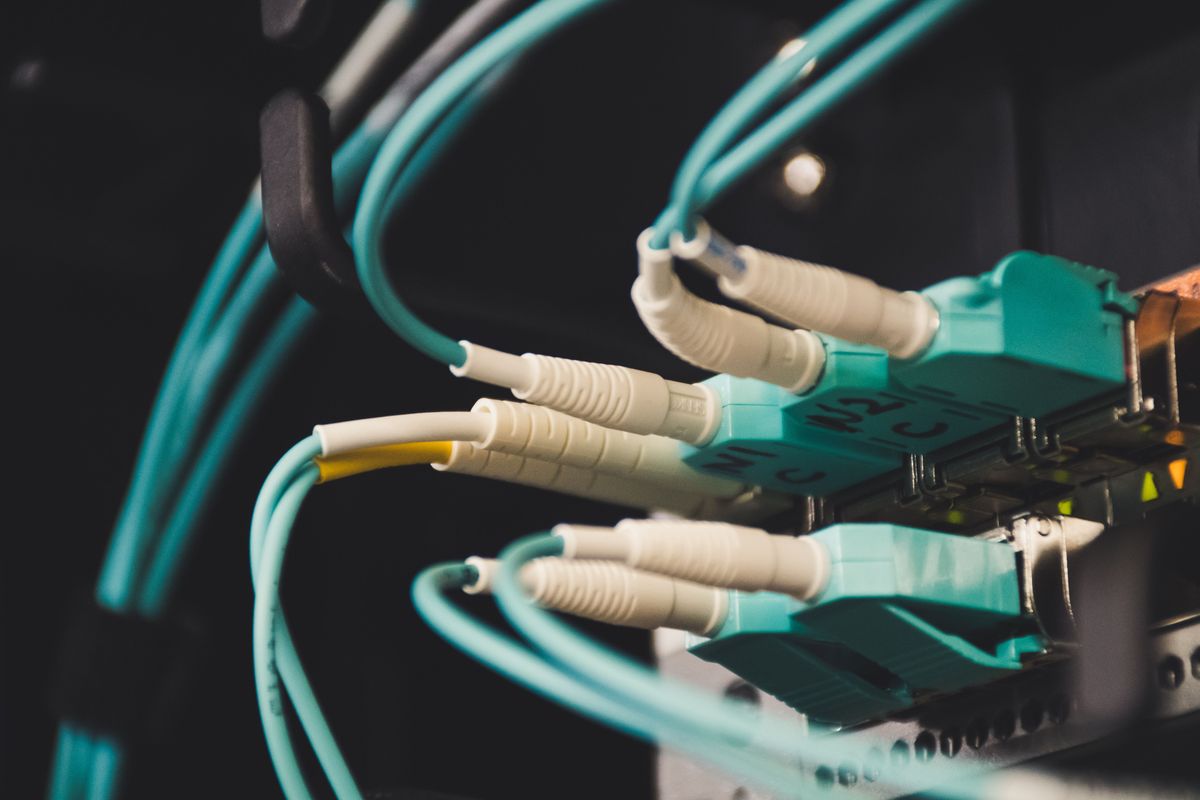
When copper's limits — 100 meters, 10 Gbps, vulnerability to EMI — become a problem, the answer is fiber. Instead of electrical signals over copper, fiber carries pulses of light through strands of glass. No electricity means no electromagnetic interference, no crosstalk, and no signal leakage that someone could tap. It also means vastly greater distances and speeds.
A fiber cable has a core (the glass strand carrying light), cladding (a reflective layer that bounces light back into the core), and a protective jacket. The diameter of the core is the key specification, measured in microns.
Single-Mode vs Multi-Mode
This is one of the most tested distinctions in all of Network+:
- Single-mode fiber (SMF): A tiny core (about 9 microns). Light travels straight down the center in a single path — one mode. Because the light doesn't bounce around, there is almost no signal distortion. Result: enormous distances (up to 40+ km, and much more with amplification) and the highest speeds. Uses laser light sources. The cable jacket is usually yellow. More expensive, but the standard for long-haul and carrier networks.
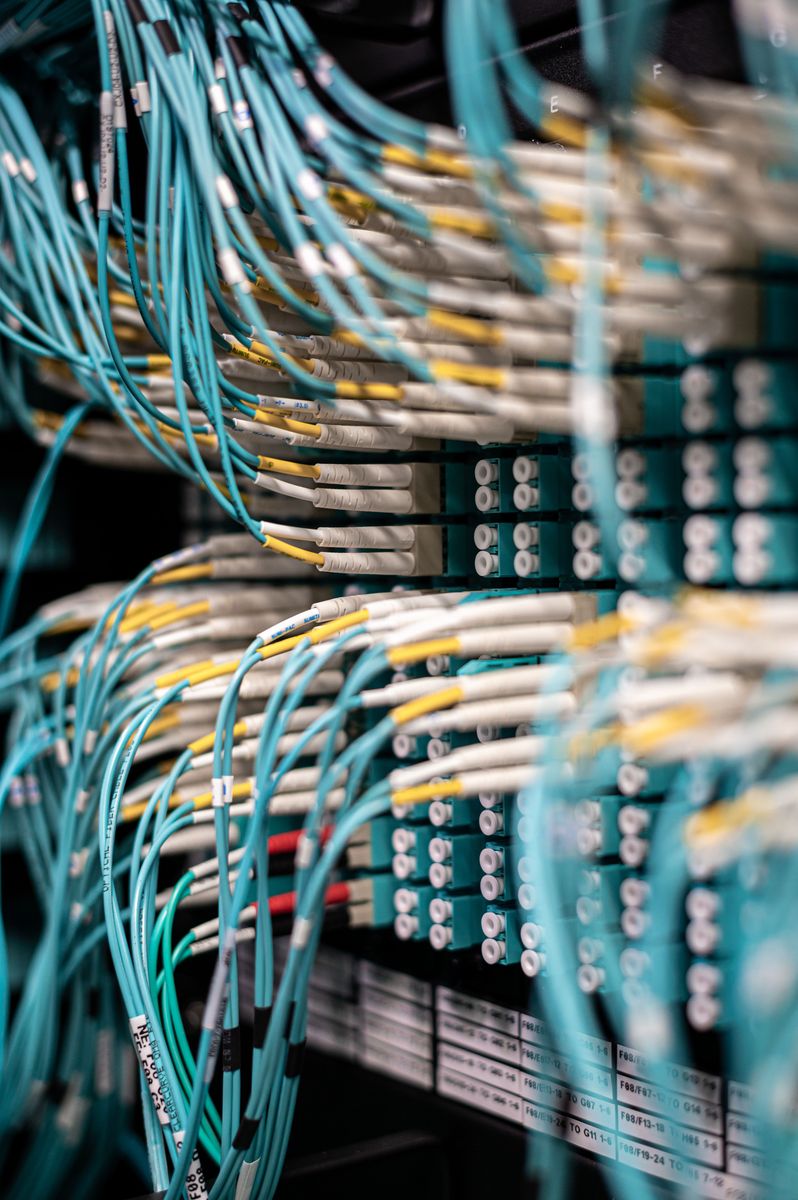
- Multi-mode fiber (MMF): A larger core (50 or 62.5 microns). Light bounces off the cladding at multiple angles — multiple modes. Cheaper to make and uses cheaper LED light sources, but the bouncing causes modal dispersion (the light pulses spread out), limiting distance to about 550 meters at 10 Gbps. The jacket is usually orange (older OM1/OM2) or aqua (OM3/OM4 laser-optimized). The standard for short runs inside buildings and data centers.
The exam's favorite fiber traps: (1) Single-mode = long distance, laser, yellow jacket, expensive. Multi-mode = short distance, LED, orange/aqua jacket, cheaper. (2) You cannot mix them — connecting single-mode cable to multi-mode transceivers (or vice versa) simply does not work. A question describing a link that "won't come up" after a cable swap is often testing exactly this. (3) "Single-mode" does not mean one fiber strand — most fiber links use a pair of strands (one transmit, one receive) regardless of mode.
Fiber Connectors: LC, SC, ST, MPO
Copper has essentially one connector that matters (RJ45). Fiber has several, and the exam expects you to recognize them:
- LC (Lucent Connector): Small, with a latch like a tiny RJ45. The most common connector in modern data centers and enterprise gear. Often used in pairs (duplex).
- SC (Subscriber Connector): Square-ish, push-pull design. "Stick and click." Common in older installations and carrier equipment.
- ST (Straight Tip): Round, with a bayonet twist-lock like a BNC connector. Legacy — you'll see it in old installations.
- MPO/MTP: A multi-fiber connector carrying 12, 24, or more strands in one plug. Used for high-density 40/100 Gbps connections in data centers.
A useful memory aid: LC is Little, SC is Square-ish (push), ST is Stick-and-Twist. The exam rarely asks for deep detail beyond recognition and matching the connector to the scenario.
Patch Panels and Structured Cabling
Nobody runs a 90-meter cable directly from a wall jack into a switch. Instead, buildings use structured cabling: permanent horizontal runs terminate at a patch panel in the wiring closet, and short patch cords connect the patch panel to the switch. The wall jack in the office is the other end of that permanent run.
This design exists for a practical reason: the permanent in-wall cabling almost never changes, while the connections at the patch panel change constantly as people move desks and devices get replaced. Punching cables down into a patch panel once — using a punch-down tool and a 110 block or keystone jacks — creates a stable, labeled, manageable installation. The exam may show you a wiring closet scenario and ask what component organizes the incoming runs. The answer is the patch panel.
Related terms the exam tests: the demarc (demarcation point) is where the service provider's responsibility ends and yours begins — usually a box on the outside of the building. The MDF (main distribution frame) is the central wiring point; IDFs (intermediate distribution frames) serve individual floors. Know the hierarchy: provider → demarc → MDF → IDF → work area.
Cable Testing and Certification
After installation, cable runs must be verified. The exam distinguishes three levels of testing:
- Continuity testers simply verify that each wire connects end-to-end and the pinout is correct. Cheap and basic — they catch miswires and opens but nothing subtle.
- Wire map testers check the full pinout against T568A/T568B, detecting split pairs, reversed pairs, and shorts.
- Certification testers (like a Fluke DSX) run the full battery: attenuation, crosstalk (NEXT), return loss, and length — and certify the run meets its category rating. This is what you use when a customer paid for "certified Cat6a" and wants proof.
A question describing a cable that passes a continuity test but fails at gigabit speeds is testing your understanding that continuity only proves the wires connect — it says nothing about crosstalk or attenuation. The answer is to certify the cable with a proper tester, or the cause is a split pair that a basic tester missed.
Cable Jacket Ratings: Plenum vs Riser
Not all cable jackets are equal, and the difference is about fire safety, not performance. Building codes divide spaces into two types:
- Plenum spaces are the areas above drop ceilings or below raised floors where air circulates for HVAC. In a fire, these spaces act like chimneys, spreading smoke rapidly. Cable run through plenum spaces must use plenum-rated jackets (marked CMP for copper, OFNP for fiber) made of low-smoke, fire-retardant materials like Teflon.
- Riser spaces are vertical shafts between floors. Cable here must be riser-rated (CMR/OFNR) — fire-retardant, but allowed to produce more smoke than plenum cable.
The hierarchy is one-directional: plenum-rated cable can be used anywhere (it's the strictest rating), but riser-rated cable cannot go in plenum spaces. Standard general-purpose cable (CMG/CM) is only for non-plenum, non-riser runs.
The exam tests this with building-code scenarios: "A cable run must pass through the air-handling space above a drop ceiling. What rating is required?" The answer is plenum (CMP/OFNP). The trap answer is riser — riser is for vertical shafts between floors, not air-handling spaces. Remember: plenum = air flow = strictest rating.
Power over Ethernet and Transceivers
Two infrastructure topics that don't fit neatly elsewhere but show up on the exam: getting power to devices through the same cable that carries data, and the little modules that convert between electrical and optical signals.
PoE: Power Over Ethernet
Many network devices live where no power outlet exists — ceiling-mounted access points, security cameras, VoIP phones. Power over Ethernet (PoE) delivers DC power over the same twisted-pair cable that carries data, so a single cable run serves both needs.
The standards define how much power is available:
- 802.3af (PoE): Up to 15.4W per port. Enough for basic VoIP phones and simple APs.
- 802.3at (PoE+): Up to 30W per port. Powers most modern access points and cameras.
- 802.3bt (PoE++ / 4PPoE): Up to 60W (Type 3) or 90W (Type 4). For power-hungry devices like pan-tilt-zoom cameras and thin clients.
PoE requires a PoE-capable switch (an "endspan") or a PoE injector (a "midspan" device added inline) on the power-sourcing side, and a powered device (PD) on the receiving side. The power negotiation happens automatically — a PoE switch won't fry a non-PoE laptop, because it only sends power after the device identifies itself as PoE-capable.
The exam's PoE questions are usually about power budgets. A 24-port PoE+ switch with a 370W power budget cannot run 24 devices at 30W each (that would need 720W). If a question says "some cameras randomly reboot," check whether the switch's total PoE budget is exceeded. Also know the standard numbers: 15.4W / 30W / 60W / 90W for af / at / bt Type 3 / bt Type 4.
Transceivers: SFP, SFP+, QSFP
Fiber doesn't plug directly into a switch — it plugs into a transceiver, a hot-swappable module that converts between the switch's electrical signals and the fiber's optical signals. The form factors:
- SFP (small form-factor pluggable): 1 Gbps. The original standard.
- SFP+: 10 Gbps. Same physical size as SFP but faster electronics.
- QSFP (quad SFP): 40 Gbps (QSFP+) or 100 Gbps (QSFP28) — four lanes in one module.
Transceivers are also coded for specific fiber types and wavelengths — an SFP marked for single-mode 1310nm won't work on multi-mode fiber. Mismatched transceivers are a classic "link won't come up" cause, right alongside mismatched fiber types.
A media converter serves a related purpose: a standalone box that converts between copper and fiber (or between fiber types) when you can't simply swap a transceiver — for example, extending a copper-only switch across a fiber run to another building.
Network Devices: What Connects to What
Every device on a network exists to solve a specific problem. The exam tests whether you know which device solves which problem — and at which layer it operates.
Hubs: The (Obsolete) Repeater
A hub takes every frame it receives and floods it out of every other port. Every device sees everyone else's traffic. This creates one giant collision domain — only one device can talk at a time, and collisions corrupt frames. Hubs operate at Layer 1 (physical); they don't read addresses at all.
Hubs are obsolete. You will not install one. But the exam keeps them around as a contrast: every question about why switches replaced hubs is really a question about collision domains and efficiency.
Switches: The LAN Workhorse
A switch learns which MAC address lives on which port, then forwards frames only to the port where the destination lives. Each port is its own collision domain — every device gets full bandwidth. Switches operate primarily at Layer 2 (data link), though Layer 3 switches can also route.
This is the single most important device distinction in basic networking: hubs flood, switches forward. A switch's MAC address table (CAM table) is what makes the difference. When a switch doesn't know a destination, it floods — but only until it learns.
Watch for the collision domain vs broadcast domain distinction. A switch breaks up collision domains (one per port) but does NOT break up broadcast domains — a broadcast frame still reaches every device on the switch. Only a router (or VLANs) breaks up broadcast domains. This is one of the most-tested concepts in Network+.
Routers: Between Networks
A router connects different networks together and forwards packets based on IP addresses. It operates at Layer 3 (network). Where a switch asks "which port has this MAC address?", a router asks "which path leads toward this IP network?" Routers break up broadcast domains — broadcasts do not cross routers.
Your home "router" is actually three devices in one box: a router, a switch, and a wireless access point. The exam expects you to know the difference conceptually even though consumer gear combines them.
Wireless Access Points
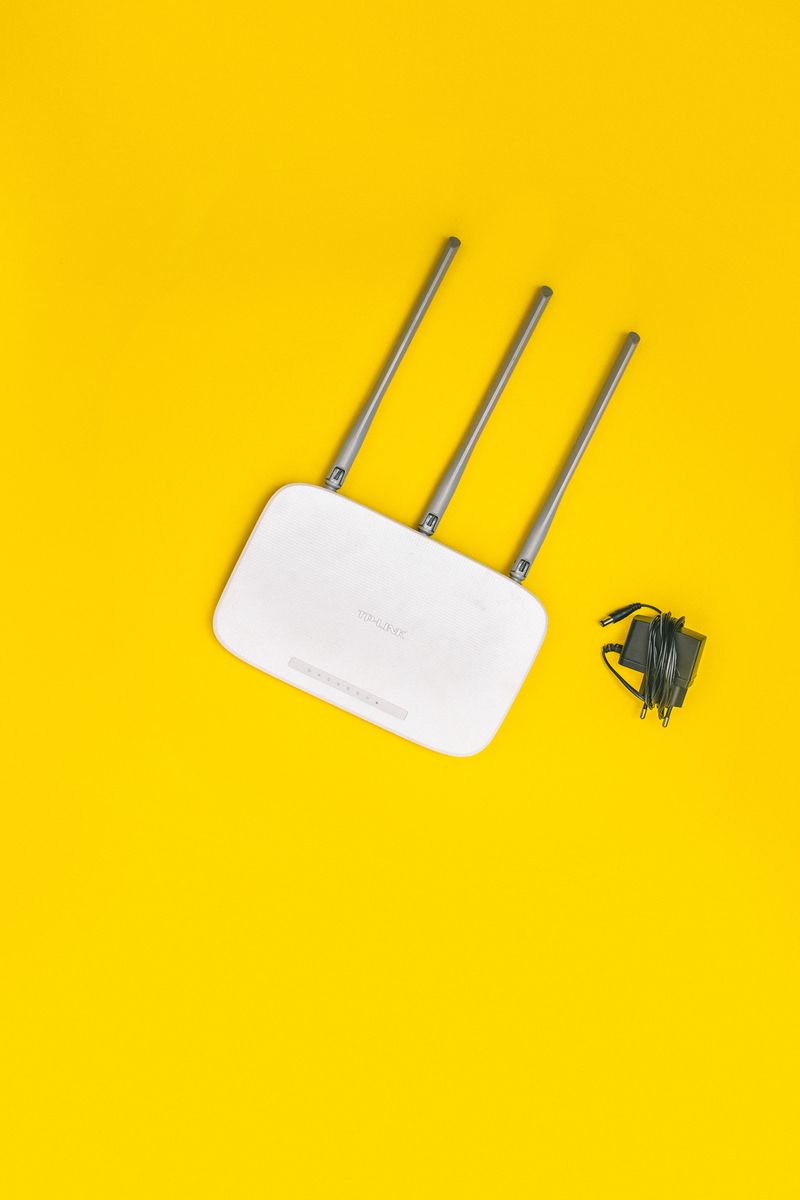
An access point (AP) bridges wireless clients to the wired network. It operates at Layer 2 for the bridging function, though enterprise APs are managed centrally by a wireless controller. In a home, the AP is built into the router. In an enterprise, you deploy many APs — ceiling-mounted, managed as a group, with centralized configuration and roaming support.
Firewalls and Load Balancers
A firewall filters traffic based on rules — allowing or blocking by IP, port, protocol, or application. It can be a dedicated appliance, software on a server, or built into a router. The exam treats firewalls as security devices operating at Layers 3–4 (packet filtering) or Layer 7 (next-generation/application-aware).
A load balancer distributes incoming traffic across multiple servers so no single server is overwhelmed. It also provides redundancy — if one server fails, the load balancer stops sending it traffic. You'll meet load balancers in any discussion of high availability.
Device-by-scenario is a favorite question format. Web traffic needs distributing across three servers? Load balancer. Block all inbound traffic except port 443? Firewall. Connect two office LANs across town? Router. Extend the wired network to wireless laptops? Access point. Learn the one-sentence job description of each device and these questions answer themselves.
Wireless Standards: The 802.11 Family
Wireless networking is governed by the 802.11 standards from the IEEE. The original letter-based names (802.11a, b, g, n, ac, ax) are still tested, but the industry now also uses generational names — Wi-Fi 4, 5, 6, 6E, 7 — because "802.11ax" means nothing to a normal human. The exam uses both, so learn the mapping:
| Standard | Wi-Fi Name | Max Speed (approx) | Frequency |
|---|---|---|---|
| 802.11a | — | 54 Mbps | 5 GHz |
| 802.11b | — | 11 Mbps | 2.4 GHz |
| 802.11g | — | 54 Mbps | 2.4 GHz |
| 802.11n | Wi-Fi 4 | 600 Mbps | 2.4 / 5 GHz |
| 802.11ac | Wi-Fi 5 | ~3.5 Gbps | 5 GHz |
| 802.11ax | Wi-Fi 6 / 6E | ~9.6 Gbps | 2.4 / 5 GHz (6E adds 6 GHz) |
| 802.11be | Wi-Fi 7 | ~46 Gbps | 2.4 / 5 / 6 GHz |
A few things worth understanding rather than memorizing. The 802.11b standard was slow (11 Mbps) but popular because 2.4 GHz equipment was cheap. The 802.11a standard was faster (54 Mbps) but flopped commercially because 5 GHz gear was expensive at the time. The 802.11g standard brought 54 Mbps to the cheap 2.4 GHz band and won. Every generation since has been about pushing more speed through wider channels, better modulation, and — starting with 802.11n — MIMO (multiple input, multiple output): using multiple antennas to send multiple data streams simultaneously.
MIMO, MU-MIMO, and Channel Bonding
Three technologies explain most of the speed jumps between generations:
- MIMO (802.11n and later): Multiple antennas transmit multiple spatial streams at once. A 3x3 MIMO device can send three streams simultaneously — roughly tripling throughput versus a single antenna. The notation "3x3:3" means three transmit antennas, three receive antennas, three spatial streams.
- MU-MIMO (multi-user MIMO, 802.11ac Wave 2 and later): Regular MIMO talks to one client at a time, just very fast. MU-MIMO lets the AP transmit to multiple clients simultaneously on different spatial streams. In a crowded office, this is transformative — the AP stops making 30 laptops take turns.
- Channel bonding: Combining adjacent 20 MHz channels into wider ones — 40, 80, or 160 MHz. Wider channels carry more data but are harder to find clean, especially in the crowded 2.4 GHz band. This is why 160 MHz channels are practical mainly in 5 and 6 GHz.
If a question asks what lets an access point serve multiple clients at the same time (not just quickly in turn), the answer is MU-MIMO. If it asks about the speed benefit of multiple antennas on a single client connection, that's MIMO / spatial streams. The exam also tests that wider channels increase speed but increase the chance of interference — a tradeoff question, not just a "bigger is better" one.
Frequencies: 2.4 GHz vs 5 GHz vs 6 GHz
The frequency band determines the fundamental tradeoff of wireless: lower frequencies travel farther and penetrate walls better; higher frequencies carry more data but over shorter distances.
- 2.4 GHz: Longest range, best wall penetration. But only three non-overlapping channels (1, 6, 11) in most regions, and it's crowded — microwaves, Bluetooth, baby monitors all live here. Slowest speeds.
- 5 GHz: Much more spectrum (many non-overlapping channels), far less interference, much faster. Shorter range and worse wall penetration.
- 6 GHz: Introduced with Wi-Fi 6E. Huge amounts of clean spectrum, the fastest speeds, but the shortest range — essentially line-of-sight or single-room.
The classic wireless scenario: a user complains of slow Wi-Fi in a room far from the AP, while users near the AP are fine. The likely cause is the distant client clinging to a weak 5 GHz signal (or the AP steering everyone to 2.4 GHz for range at the cost of speed). The exam also loves channel overlap — if two nearby APs are both on channel 6 in the 2.4 GHz band, they interfere. The fix is using non-overlapping channels 1, 6, and 11.
Antennas: Omnidirectional vs Directional
The antenna determines the shape of the wireless coverage:
- Omnidirectional antennas radiate signal in all directions (think of a donut shape around a vertical antenna). Standard for general office coverage — you want every direction served.
- Directional antennas focus signal in one direction — like a flashlight instead of a bare bulb. Used for point-to-point links between buildings, or covering a long warehouse aisle.
Scenario: connecting two buildings 200 meters apart wirelessly. The answer involves directional antennas (often a dish or panel antenna) on both ends, creating a wireless bridge. An omnidirectional antenna would waste most of its energy in directions where nobody is listening.
Wireless Security Note
The exam pairs wireless standards with wireless security, but the full security discussion belongs in Chapter 5. For now, know the progression: WEP (broken, never use), WPA (better, but flawed), WPA2 (the long-time standard, using AES), WPA3 (current, stronger handshake and forward secrecy). If a question mentions wireless security in an infrastructure context, WPA2/WPA3 with 802.1X (enterprise authentication) is the expected answer for business networks; WPA2/WPA3-Personal (pre-shared key) is for homes and small offices.
Putting It Together: A Small Office Build
Imagine you're wiring a 30-person office. Here's how this chapter's concepts combine:
You run Cat6a from every desk back to the wiring closet — 10 Gbps capable, full 100-meter runs, ready for years. The runs terminate at a patch panel; patch cords connect the panel to a switch. The switch connects to a router (with a built-in firewall) at the demarc, where the ISP's fiber comes in on an LC connector — single-mode, because the ISP ran it from a kilometer away.
For wireless, you mount three access points on the ceiling, managed by a controller, broadcasting on 5 GHz (channels 36, 44, 52 — non-overlapping) with 2.4 GHz enabled for range. The antennas are omnidirectional because you want 360-degree coverage. Security is WPA3-Enterprise with 802.1X.
The APs get both data and power over their Cat6a runs via PoE+ — no electrician needed for ceiling outlets, and the switch's PoE budget is sized for three 25W APs with headroom. The cable in the ceiling is plenum-rated, because that drop-ceiling space is an air-handling plenum. The switch has SFP+ ports, so the uplink to the router's fiber port uses a pair of 10 Gbps SFP+ transceivers over multi-mode fiber — short run, inside one building, no need for single-mode.
Every choice in those two paragraphs comes from this chapter. That is what the exam is really testing: not trivia about connector names, but whether you can assemble the pieces into a working network.
End-of-Chapter Test
1. A technician needs to run cable 90 meters to support 10 Gbps. Which cable category is the minimum appropriate choice?
- A. Cat5e
- B. Cat6
- C. Cat6a
- D. Cat8
2. Which fiber type uses a laser light source and is suitable for a 10 km campus backbone?
- A. OM1 multi-mode
- B. OM3 multi-mode
- C. Single-mode
- D. Cat6a
3. A network works normally until a large motor starts nearby, at which point packet loss spikes. What is the most likely cause?
- A. Incorrect subnet mask
- B. Electromagnetic interference
- C. Broadcast storm
- D. Duplex mismatch
4. Which device breaks up broadcast domains?
- A. Hub
- B. Switch
- C. Router
- D. Repeater
5. A PC needs to connect directly to another PC with no switch in between. Which cable type does the standard call for?
- A. Straight-through
- B. Crossover
- C. Rollover
- D. Coaxial
6. Two access points in adjacent offices are both configured to channel 6 on 2.4 GHz, and users report intermittent slowdowns. What is the best fix?
- A. Increase transmit power on both APs
- B. Move one AP to a non-overlapping channel such as 1 or 11
- C. Switch both APs to WPA3
- D. Replace the antennas with directional models
7. Which connector is most commonly used for modern data center fiber connections?
- A. ST
- B. SC
- C. LC
- D. BNC
8. A company wants to connect two buildings 300 meters apart with a wireless link. Which antenna type is most appropriate?
- A. Omnidirectional on both ends
- B. Directional on both ends
- C. Omnidirectional on one end, directional on the other
- D. No antenna; use the AP's internal antenna
9. What is the primary advantage of the 6 GHz band introduced with Wi-Fi 6E?
- A. Longer range than 2.4 GHz
- B. Better wall penetration than 5 GHz
- C. Large amounts of clean, uncongested spectrum for high speeds
- D. Backward compatibility with 802.11b clients
10. A switch receives a frame destined for a MAC address not in its table. What does it do?
- A. Drops the frame
- B. Floods the frame out all ports except the receiving port
- C. Sends an ARP request
- D. Forwards the frame to the router
Answer Key
1. C — Cat6a supports 10 Gbps to the full 100 meters. Cat6 only manages 10 Gbps to 55 meters, so at 90 meters it would fall back to 1 Gbps. Cat5e tops out at 1 Gbps. Cat8 would work but is overkill (and limited to 30 meters).
2. C — Single-mode fiber uses lasers and spans kilometers; 10 km is well within its range. Multi-mode (OM1/OM3) is limited to hundreds of meters at high speeds. Cat6a is copper, not fiber.
3. B — The correlation with the motor starting points directly to electromagnetic interference. The fix is shielded cable or rerouting away from the EMI source.
4. C — Routers break up broadcast domains; broadcasts do not cross routers. Switches break up collision domains but forward broadcasts. Hubs and repeaters break up neither.
5. B — The standard calls for a crossover cable (T568A on one end, T568B on the other) for like-device connections. Modern Auto-MDIX ports make this unnecessary in practice, but the exam tests the standard.
6. B — Same-channel interference. Moving one AP to channel 1 or 11 (non-overlapping with 6) eliminates the contention. Increasing power would make interference worse.
7. C — LC is the dominant small-form-factor connector in modern data centers. ST is legacy, SC is older carrier gear, and BNC is a coaxial connector, not fiber.
8. B — Directional antennas on both ends focus the signal into a point-to-point bridge, maximizing range and throughput. Omnidirectional antennas waste energy in all directions.
9. C — The 6 GHz band's value is vast clean spectrum with minimal interference, enabling the highest Wi-Fi speeds. Its range and wall penetration are worse than 2.4 GHz, not better.
10. B — Unknown unicast flooding: the switch sends the frame out all ports except the one it arrived on, then learns the destination's location from the reply.